FireEye Trellix Helix
This guide explains how to integrate FireEye Trellix Helix (now Trellix Helix) with RedCarbon.
Overview
The Trellix Helix integration allows RedCarbon to ingest alerts and incidents from the Helix platform.
- Vendor Documentation: Trellix Helix API Documentation
Configuration
To configure the integration, you need to generate an API Key in the Helix console.
Step 1: Access IAM
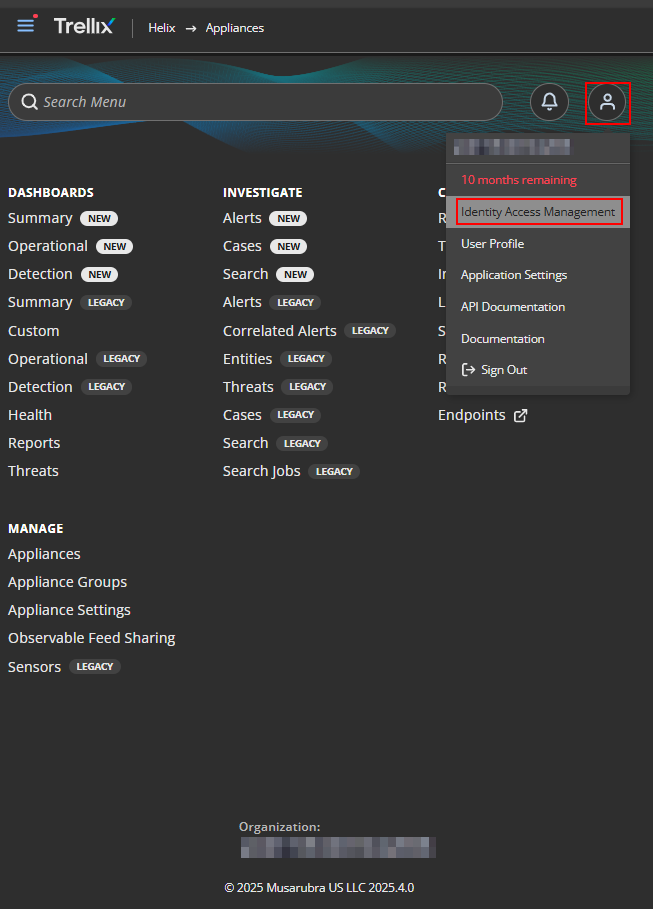
- Log in to the Helix Homepage.
- Click on the Profile icon > Identity Access Management Console (IAM).
Step 2: Create an API Key
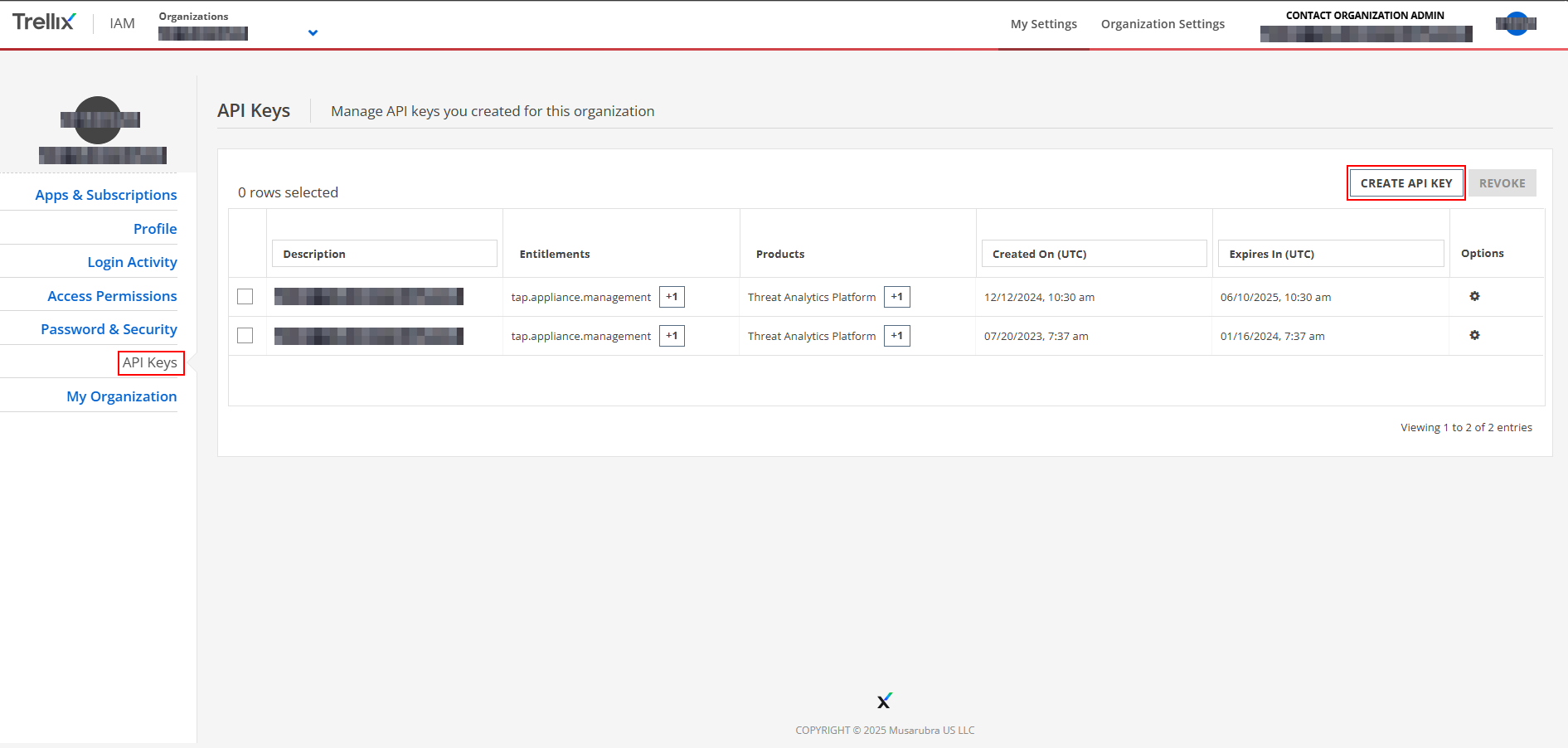
- Navigate to API Keys.
- Click Create New API Key.
Step 3: Configure Settings
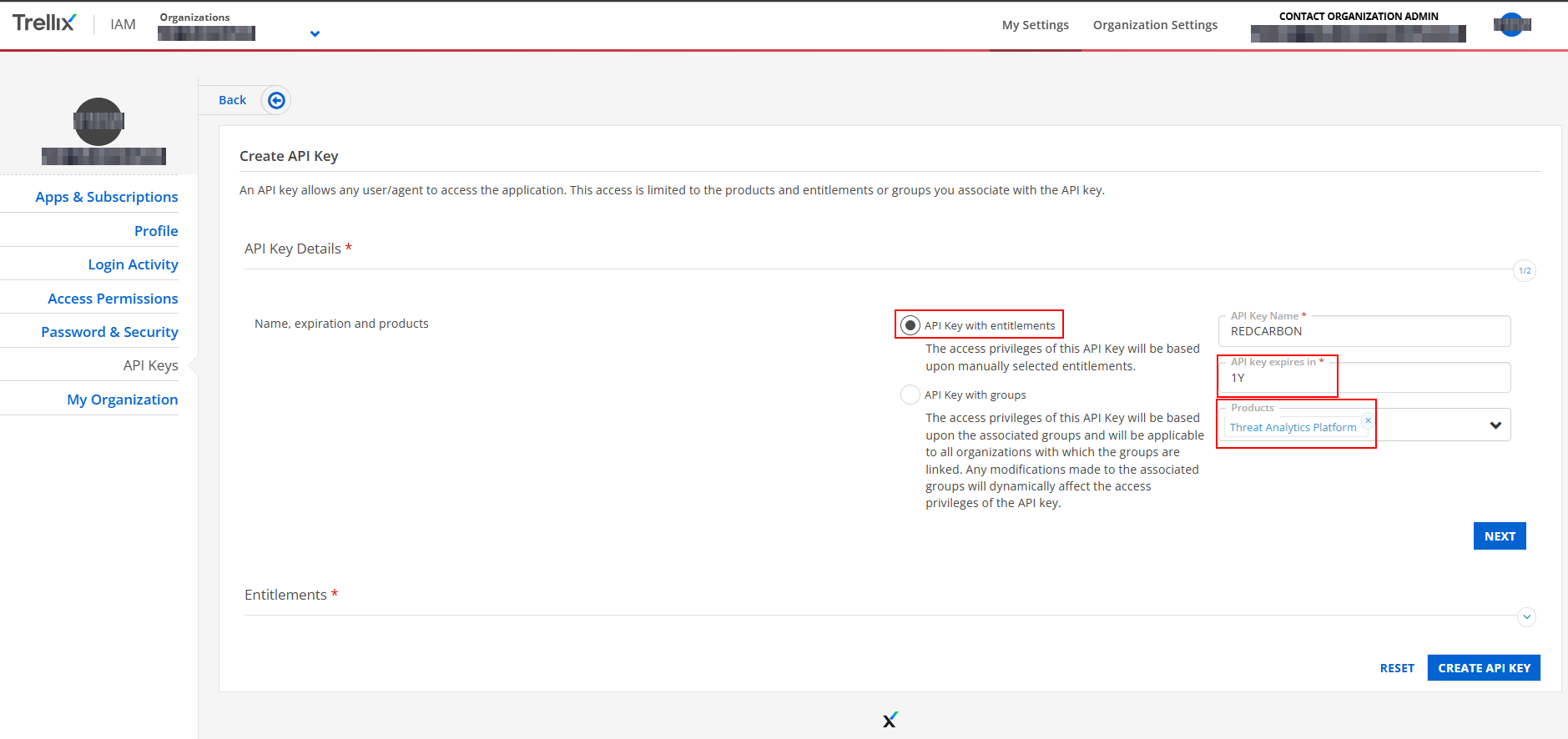
- Select API Key with entitlements.
- Set the expiration date (e.g., 1 year).
- Under Products, select Threat Analytics Platform.
Step 4: Set Entitlements
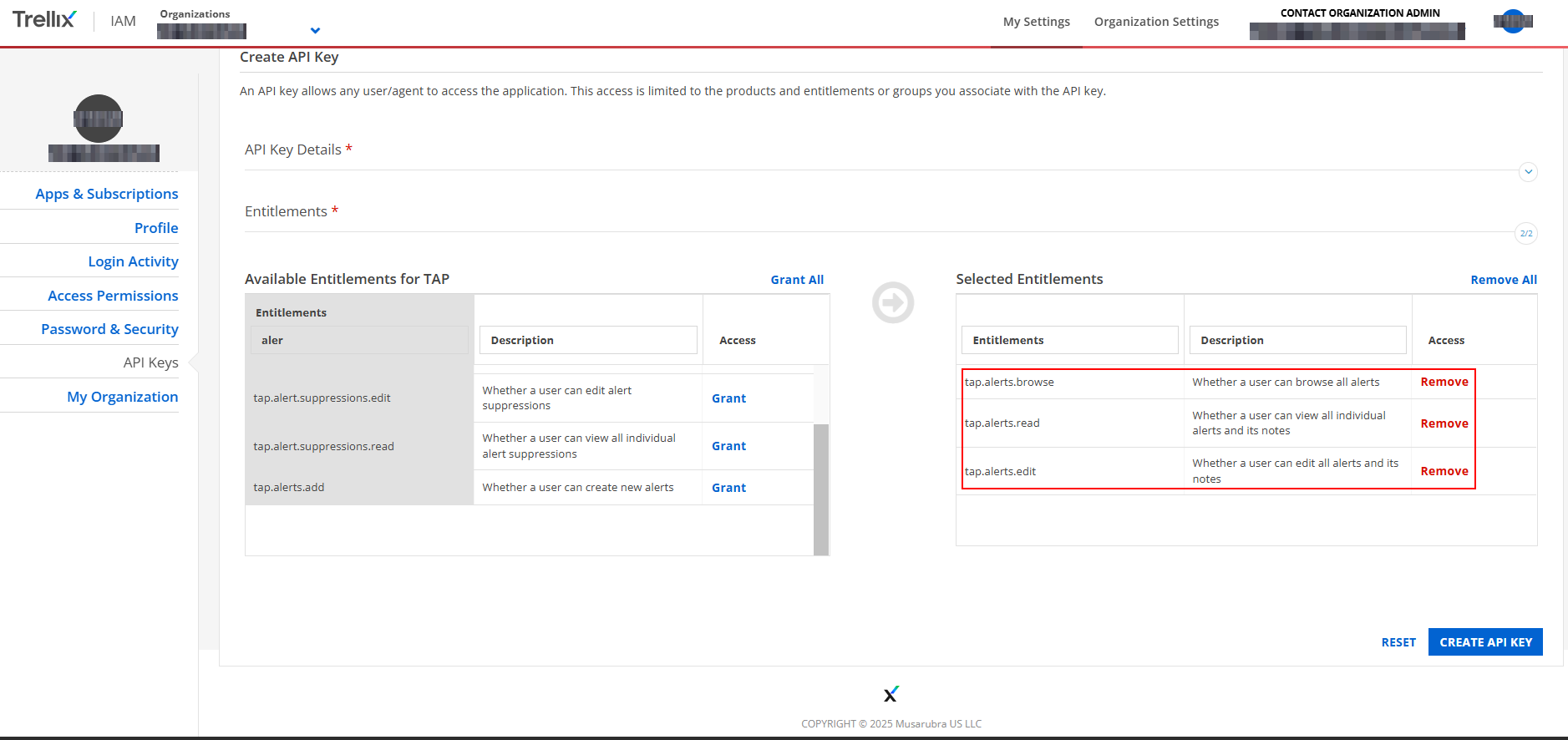
- In the Entitlements section, search for and select the following permissions:
tap.alerts.browsetap.alerts.readtap.alerts.edit(optional, for write access)
Step 5: Configure RedCarbon
- Copy the generated API Key.
- Log in to the RedCarbon Dashboard.
- Navigate to the customer's Integrations page.
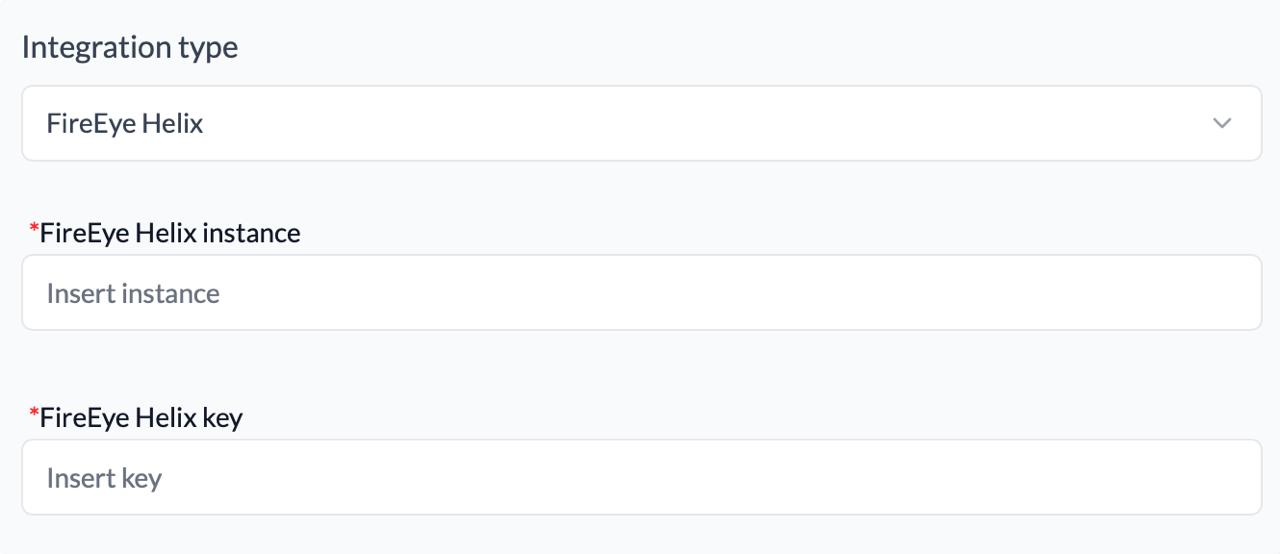
- Select FireEye Trellix Helix.
- Paste the API Key and your Helix Instance URL.
- Click Save and then Test.
Severity Mapping
| Original Severity | RedCarbon Score |
|---|---|
| Low | 10 |
| Medium | 40 |
| High | 70 |
| Critical | 90 |