SentinelOne
This guide explains how to integrate SentinelOne Singularity with RedCarbon.
Overview
The SentinelOne integration allows RedCarbon to ingest threats, alerts, and endpoints from the Singularity platform.
Configuration
To configure the integration, you need to create a dedicated Service User with a custom Role in the SentinelOne console.
Step 1: Create a Custom Role
- Log in to the SentinelOne console.
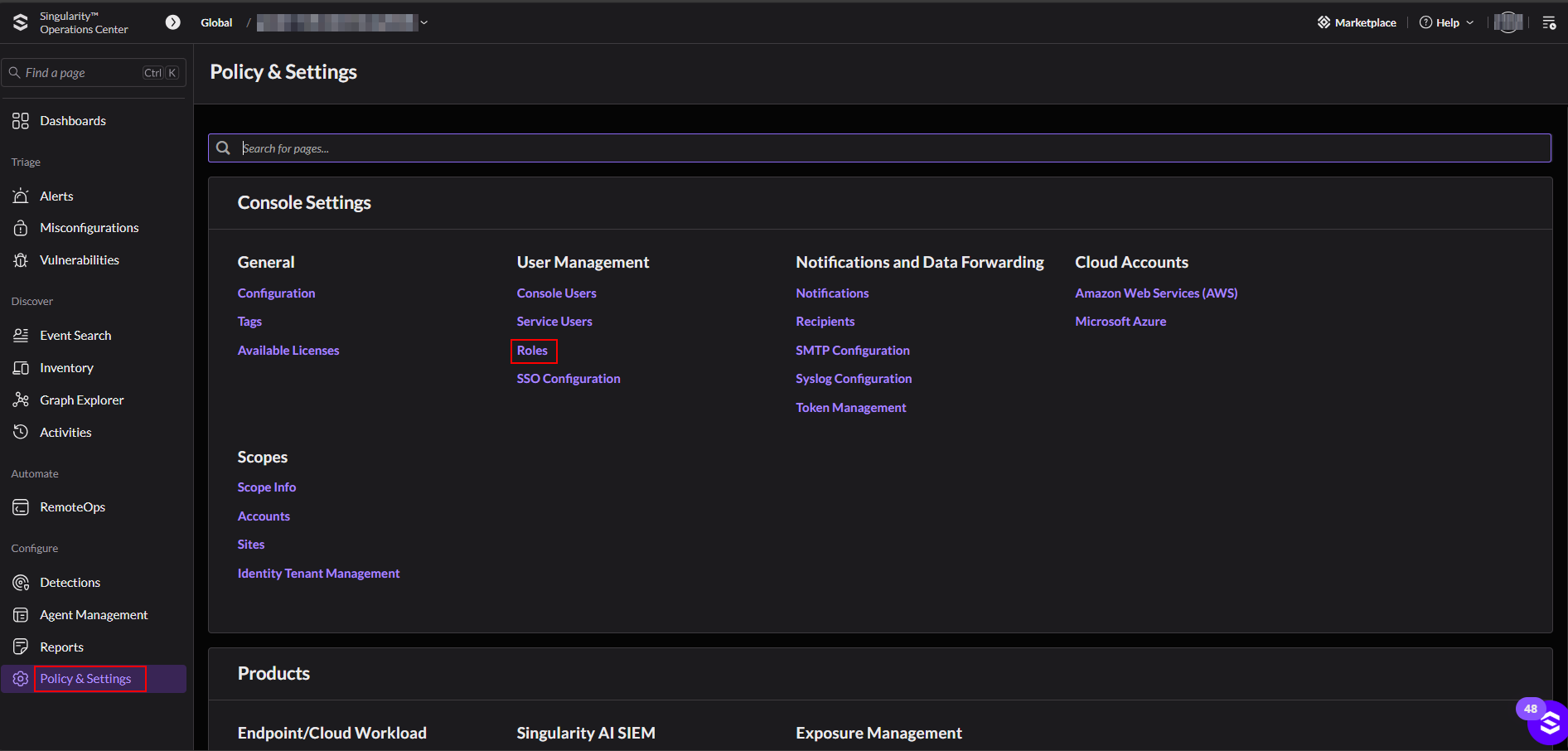
- Navigate to Policy & Settings > Console Settings > Roles.
- Create a new role with Role Scope: "Account".
Step 2: Set Permissions
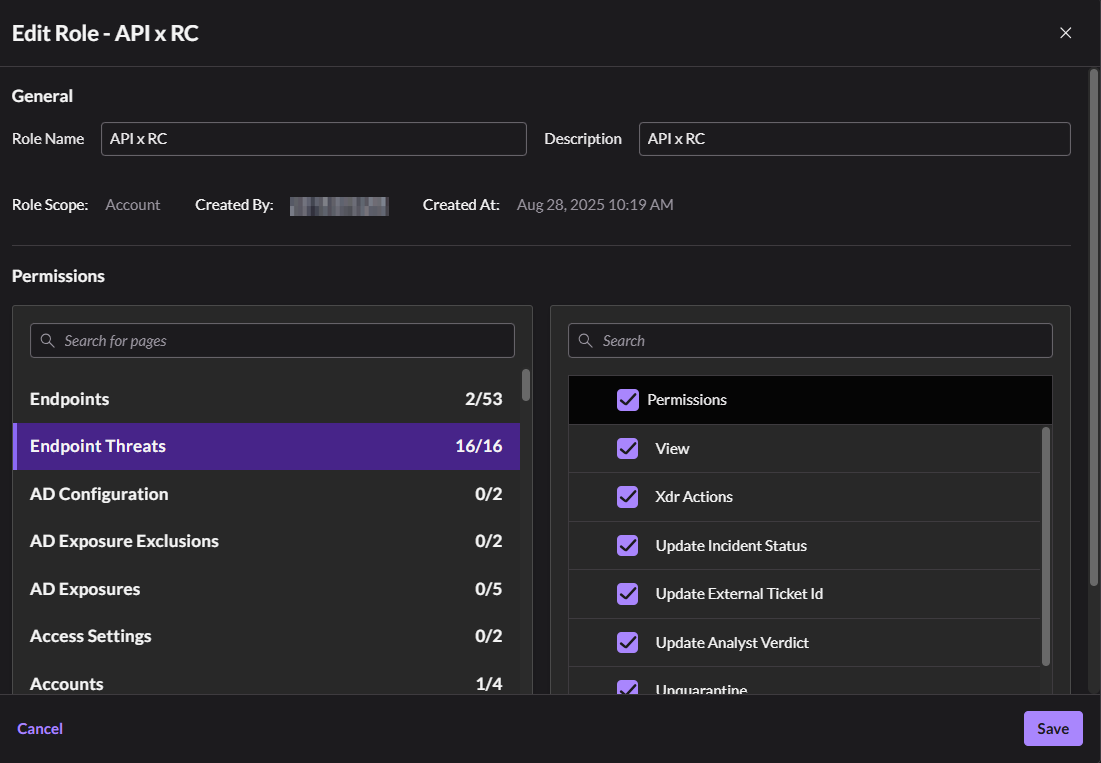
Configure the following permissions for the role:
- Endpoints: View, View Threats
- Endpoint Threats: All permissions
- Accounts: View
- Groups: View
- Roles: View
- SDL Alerts: All permissions
- SDL Search: View, Edit, Create
- STAR Rule Alerts: All permissions
- Sites: View
- Unified Alerts: All permissions
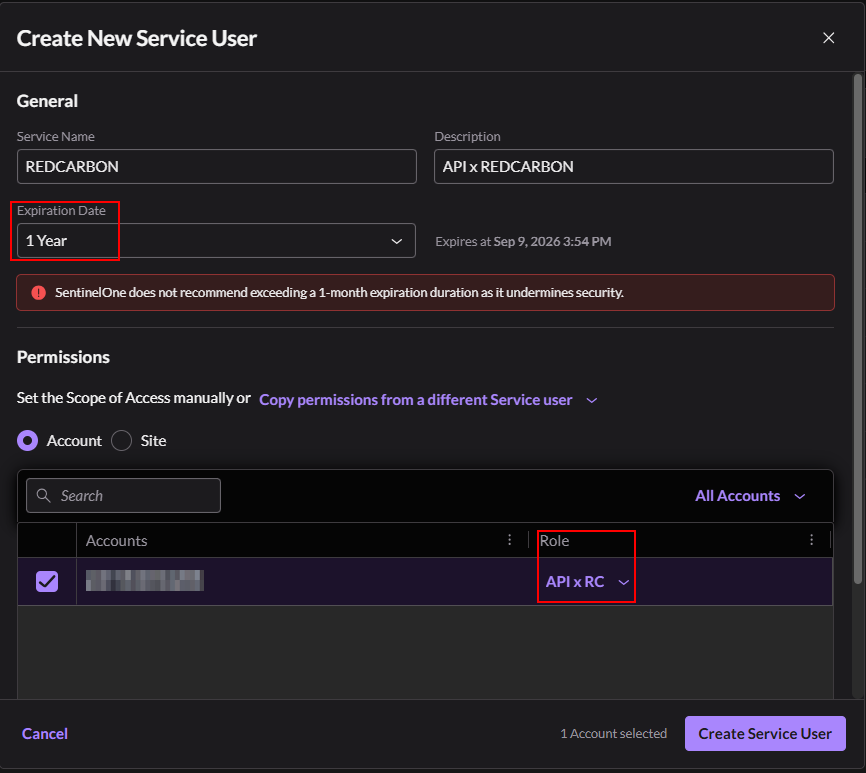
Step 3: Create a Service User
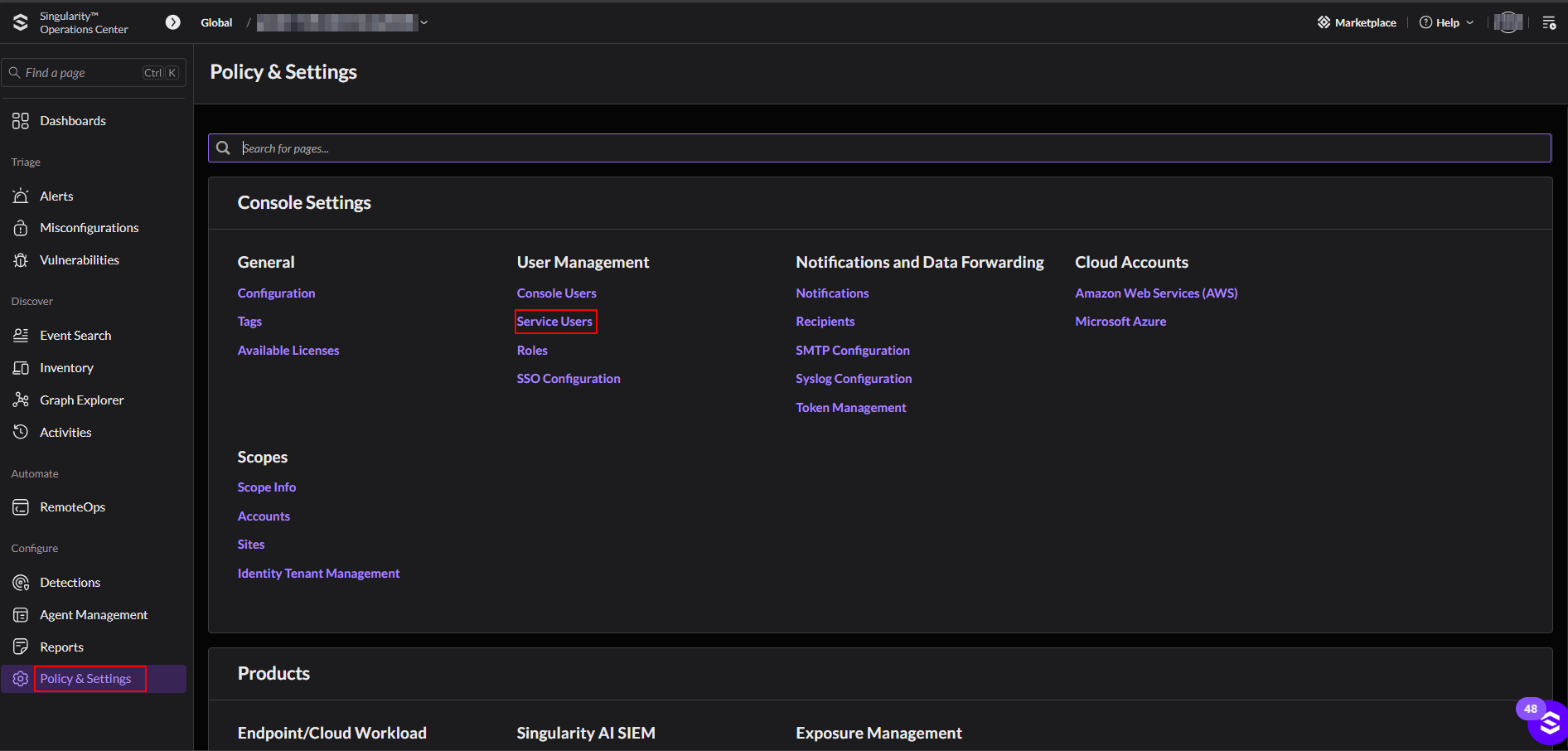
- Navigate to Policy & Settings > Console Settings > Service Users.
- Set the expiration date (e.g., 1 year or "Never" if allowed).
- Assign the role created in Step 1.
Step 4: Configure RedCarbon
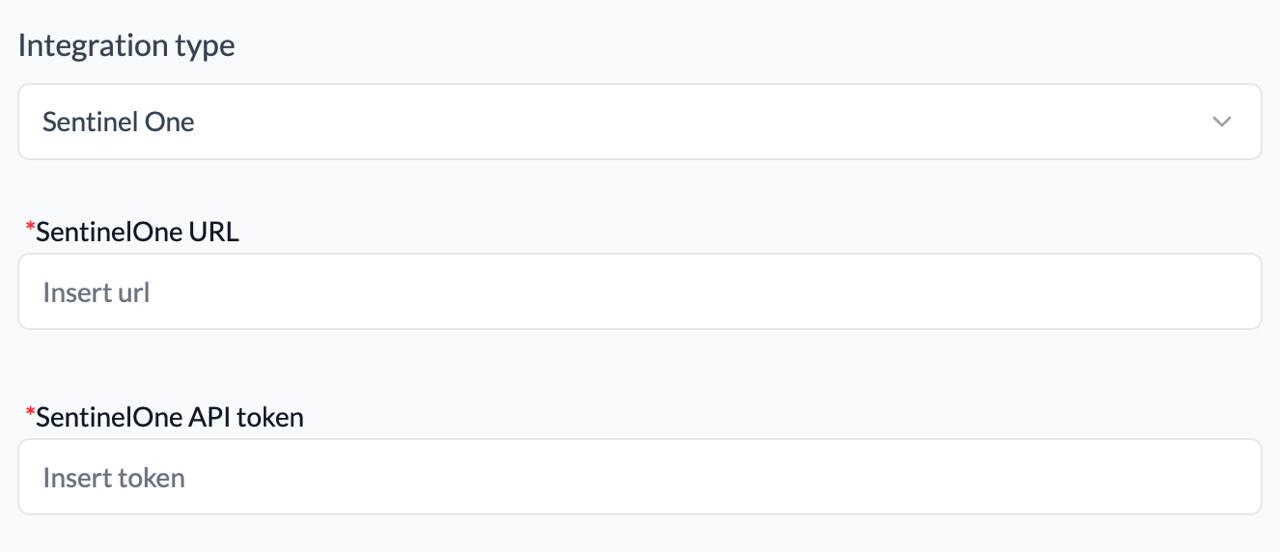
- Copy the generated API Token and Base URL.
- Log in to the RedCarbon Dashboard.
- Navigate to the customer's Integrations page.
- Select SentinelOne.
- Paste the API Token and Base URL.
- Click Save and then Test.