Rapid7
This guide explains how to integrate Rapid7 InsightIDR with RedCarbon.
Overview
The Rapid7 integration allows RedCarbon to ingest alerts and investigations from the InsightIDR platform.
- Vendor Documentation: Rapid7 InsightIDR REST API
Configuration
To configure the integration, you need to generate a User API Key in the Rapid7 Insight platform.
Step 1: Access User Keys
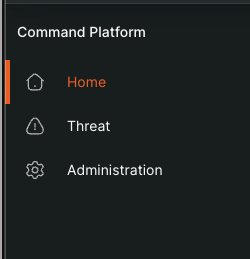
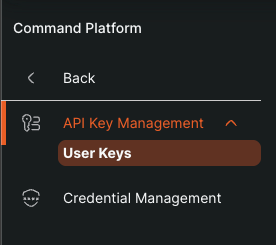
- Log in to the Rapid7 Insight Platform.
- Navigate to Administration > User Keys.
- (Note: Only Admins can manage keys).
Step 2: Generate New Key
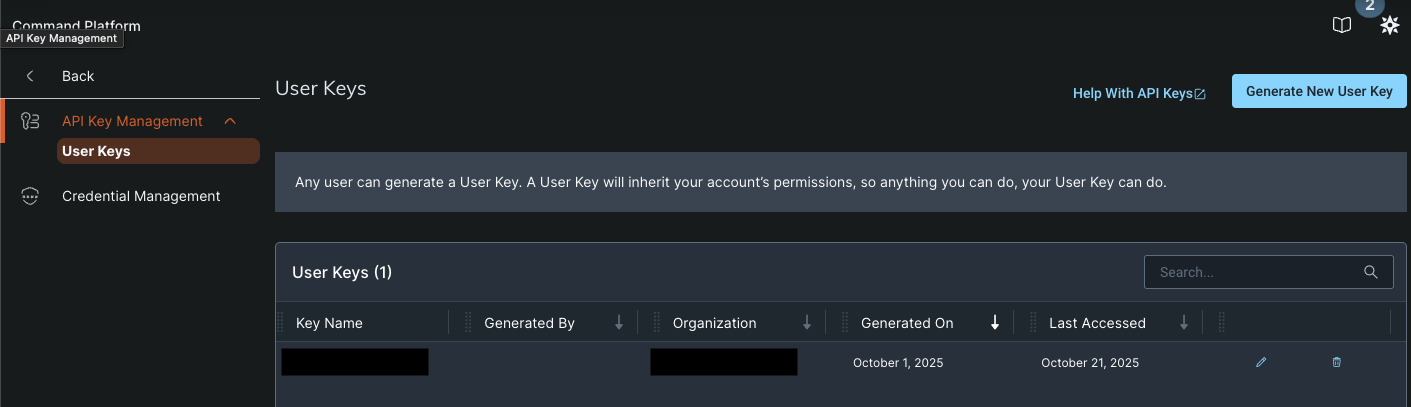
- You will see a list of existing keys (if any).
- Click the Generate New User Key button in the top right corner.
Step 3: Configure Key
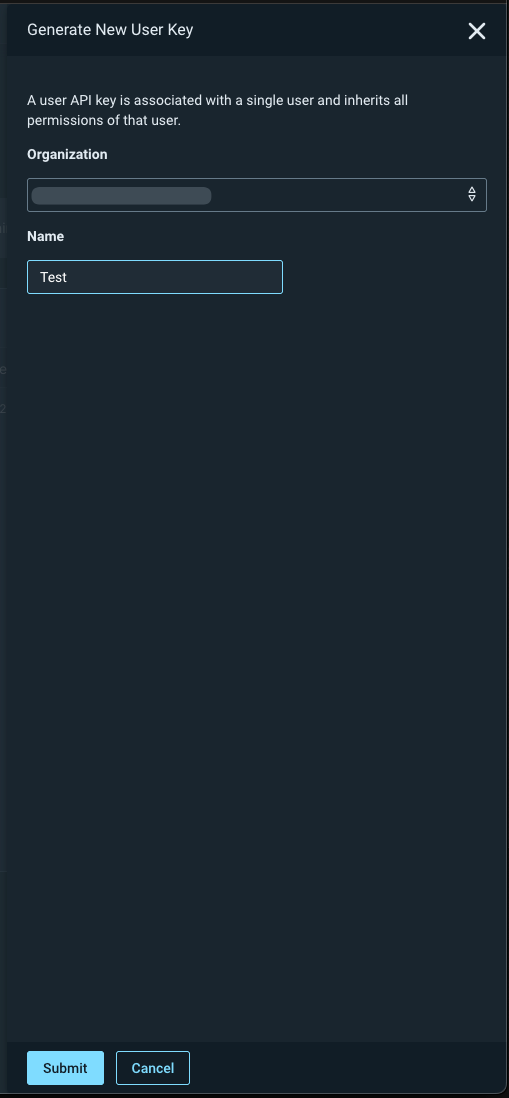
- Enter a Name for the key (e.g.,
RedCarbon-Integration). - Select the Organization.
- Click Submit.
Step 4: Configure RedCarbon
- Copy the generated API Key.
- Log in to the RedCarbon Dashboard.
- Navigate to the customer's Integrations page.
- Select Rapid7.
- Paste the API Key and your Region URL (e.g.,
https://us.api.insight.rapid7.com). - Click Save and then Test.
Severity Mapping
| Original Severity | RedCarbon Score |
|---|---|
| Low | 10 |
| Medium | 40 |
| High | 70 |
| Critical | 90 |