CrowdStrike
This guide explains how to integrate CrowdStrike Falcon with RedCarbon.
Overview
The CrowdStrike integration allows RedCarbon to ingest Detections, Incidents, and IOCs from the Falcon platform.
- Vendor Documentation: CrowdStrike Falcon API Documentation
Configuration
To configure the integration, you need to create an API Client in the CrowdStrike Falcon console.
Step 1: Create an API Client
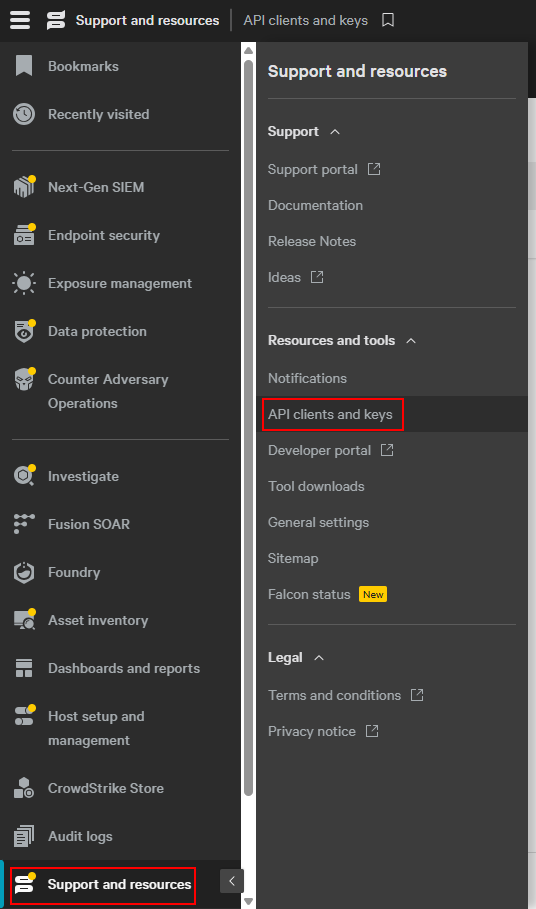
- Log in to the CrowdStrike Falcon console.
- Navigate to Support and Resources > API Clients and Keys.
- Click the Add new API client button in the top right corner.
Step 2: Set Permissions
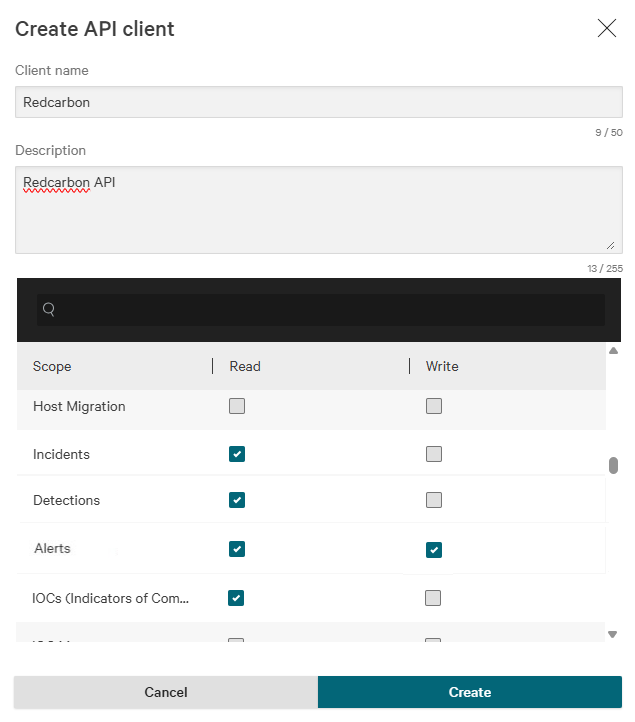
Configure the API client with the following permissions:
- Detections: Read
- Incidents: Read
- IOCs (Indicators of Compromise): Read
- Alerts: Read & Write (if you want to update alert status)
Step 3: Get Credentials
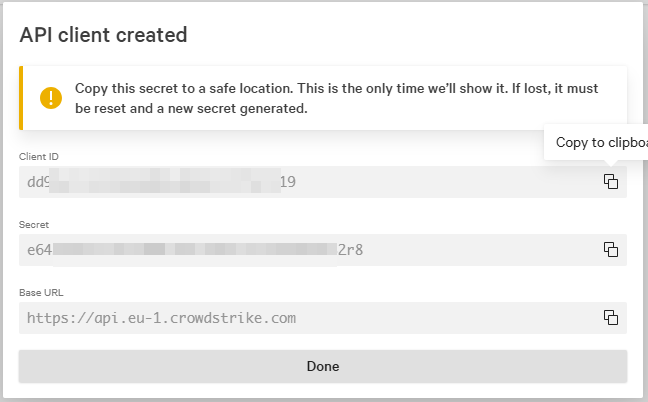
After creating the client, copy the following credentials:
- Client ID
- Client Secret
- Base URL (e.g.,
https://api.crowdstrike.com)
Step 4: Configure RedCarbon
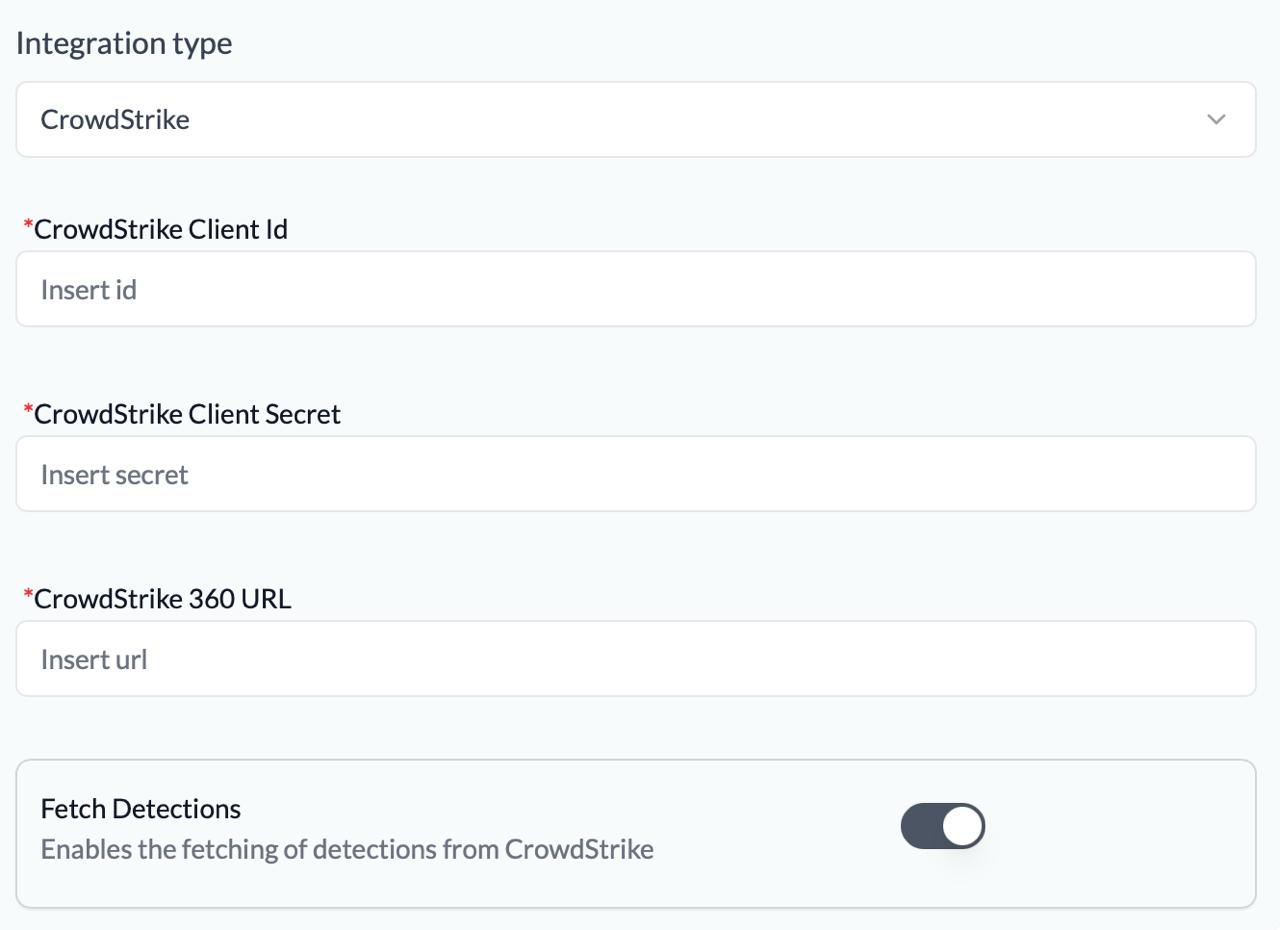
- Log in to the RedCarbon Dashboard.
- Navigate to the customer's Integrations page.
- Select CrowdStrike.
- Paste the Client ID, Client Secret, and Base URL.
- Select the CrowdStrike products to enable. The products supported by RedCarbon are:
- Automated Lead Context (
automated-lead-context): active by default on the CrowdStrike platform. - Automated Lead (
automated-lead): ingests automated lead alerts. - Cloud Workload Protection (
cwpp): ingests alerts from the CrowdStrike Cloud Workload Protection module. - Data Protection (
data-protection): ingests alerts from the CrowdStrike Data Protection module. Requires Falcon Insight XDR and Falcon Data Protection licenses. Also requires the Data Protection: Read & Write permission on the API client. See the CrowdStrike documentation for details. - Endpoint Protection (
epp): ingests alerts from the CrowdStrike Endpoint Protection module. - Falcon for Mobile (
mobile): ingests alerts from the CrowdStrike Mobile module. - Identity Protection (
idp): ingests alerts from the CrowdStrike Identity Protection module. - Insight XDR (
xdr): ingests alerts from the CrowdStrike Insight XDR module. - Next-Gen SIEM (
ngsiem): ingests alerts from the CrowdStrike Next-Gen SIEM module. - Third-Party Data (
thirdparty): ingests alerts from third-party data sources connected to CrowdStrike.
- Automated Lead Context (
Note: If a product is selected but no alerts are ingested, ensure the corresponding module is enabled in CrowdStrike.
- Click Save and then Test to verify the connection.