Microsoft Sentinel
This guide explains how to integrate Microsoft Sentinel (formerly Azure Sentinel) with RedCarbon.
Overview
The Microsoft Sentinel integration allows RedCarbon to ingest Incidents and Alerts from your Azure environment.
- Vendor Documentation: Microsoft Sentinel REST API
Configuration
To configure the integration, you need to register an application in Azure Active Directory (Entra ID) and grant it permissions to access the Sentinel workspace.
Step 1: Register an Application (App Registration)
- Log in to the Azure Portal with an account that has the Global Administrator role.
- Navigate to Azure Active Directory > App registrations > New registration.
- Enter a name (e.g.,
RedCarbon-Integration). - Click Register.
Step 2: Grant API Permissions
- On the application page, select API Permissions.
- Click Add permissions and add permissions accordingly to the following information.
- Check the table API/Permissions name.
- Check that the following permissions in Microsoft Graph are enabled:
SecurityAlert.Read.AllSecurityEvents.Read.AllSecurityIncident.Read.AllThreatHunting.Read.All
- Check that the following permissions in Microsoft Threat Protection are enabled:
Incident.ReadWrite.All
- Important: Click Grant admin consent for [Organization Name] to activate the permissions.
Step 3: Create a Client Secret
- Navigate to Certificates & secrets.
- Click New client secret.
- Add a description and expiration period.
- Click Add.
- Copy the Secret Value immediately.
Step 4: Gather Required IDs
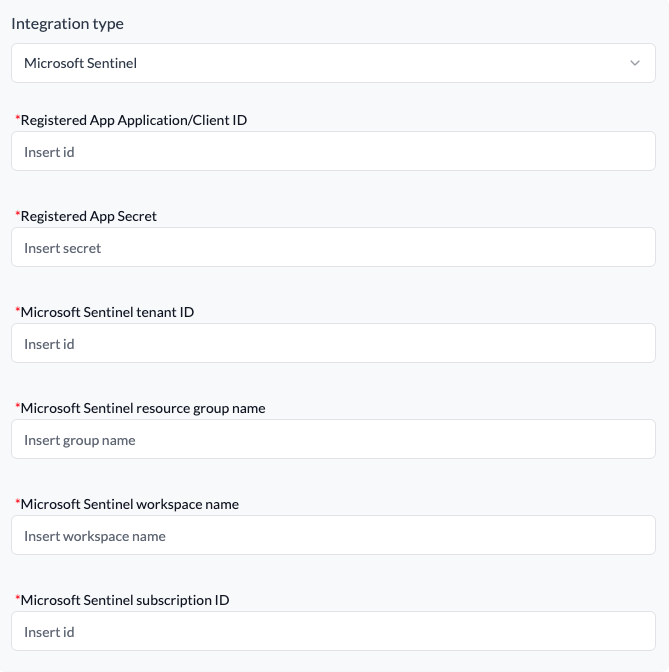
You will need the following information for RedCarbon:
- Registered App Application/Client ID.
- Registered App Secret.
- Tenant ID.
- Subscription ID.
- Resource Group Name.
- Workspace Name.
Step 5: Configure RedCarbon
- Log in to the RedCarbon Dashboard.
- Navigate to the customer's Integrations page.
- Select Microsoft Sentinel.
- Enter the required data.
- Click Save and then Test.
Severity Mapping
The following table shows how Microsoft Sentinel severity levels are mapped to RedCarbon severity scores:
| Original Severity | RedCarbon Score |
|---|---|
| Informational | 0 |
| Low | 10 |
| Medium | 40 |
| High | 70 |
| Critical | 90 |