FortiEDR
This guide explains how to integrate Fortinet FortiEDR with RedCarbon.
Overview
The FortiEDR integration allows RedCarbon to ingest security events and alerts from the FortiEDR management console.
- Vendor Documentation: FortiEDR API Guide
Configuration
To configure the integration, you need to create a dedicated API User in the FortiEDR management console.
Step 1: Create an API User
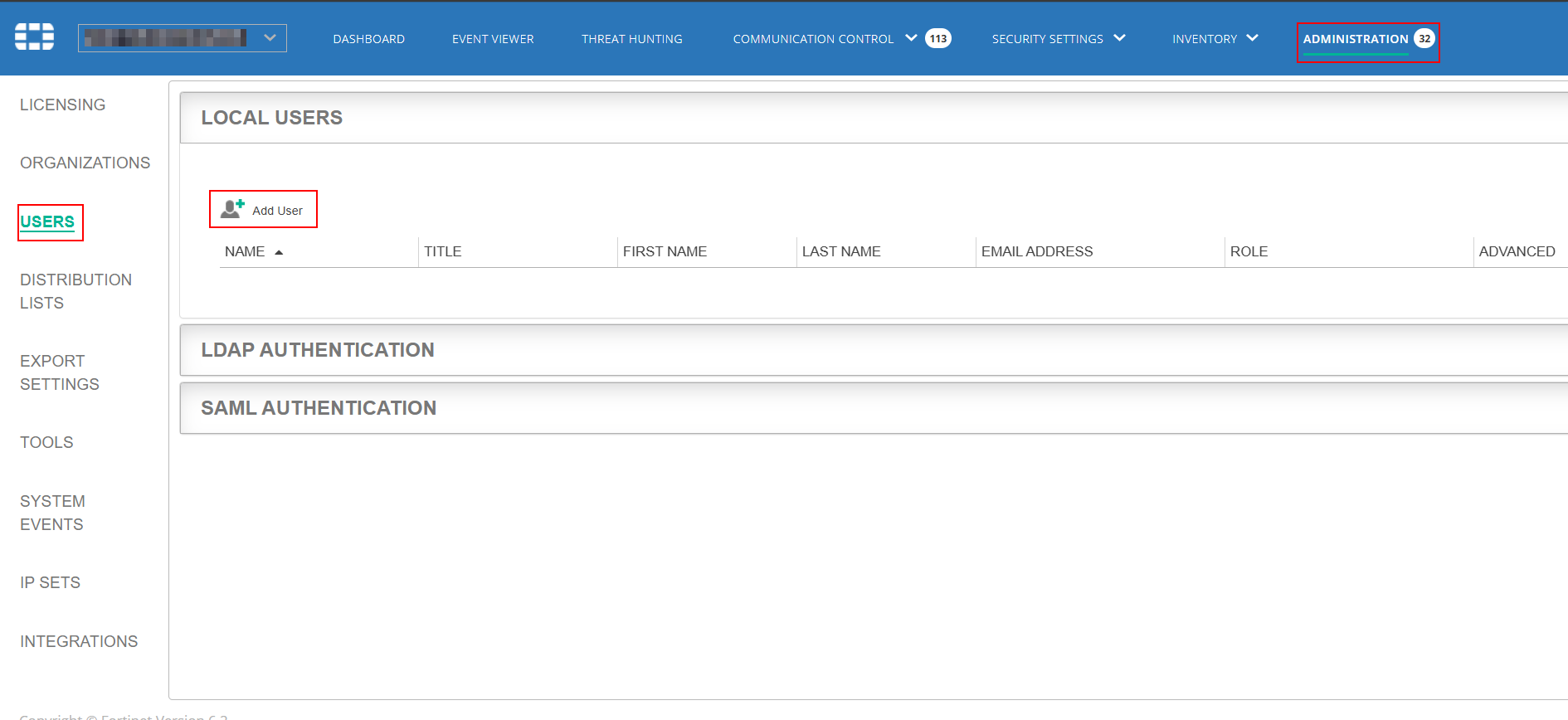
- Log in to the FortiEDR Management Console.
- Navigate to Administration > Users.
- Click Add User.
Step 2: Configure Settings
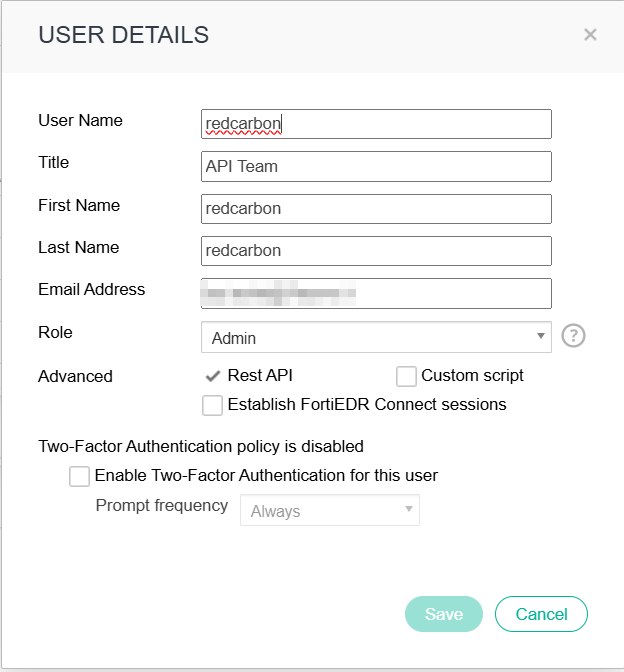
- Enter the User Name (e.g.,
RedCarbonAPI). - Check the Rest API option to enable API access.
- Assign the appropriate Role (e.g., Admin or a custom role with Read permissions).
- Click Save.
Step 3: Configure RedCarbon
- Log in to the RedCarbon Dashboard.
- Navigate to the customer's Integrations page.
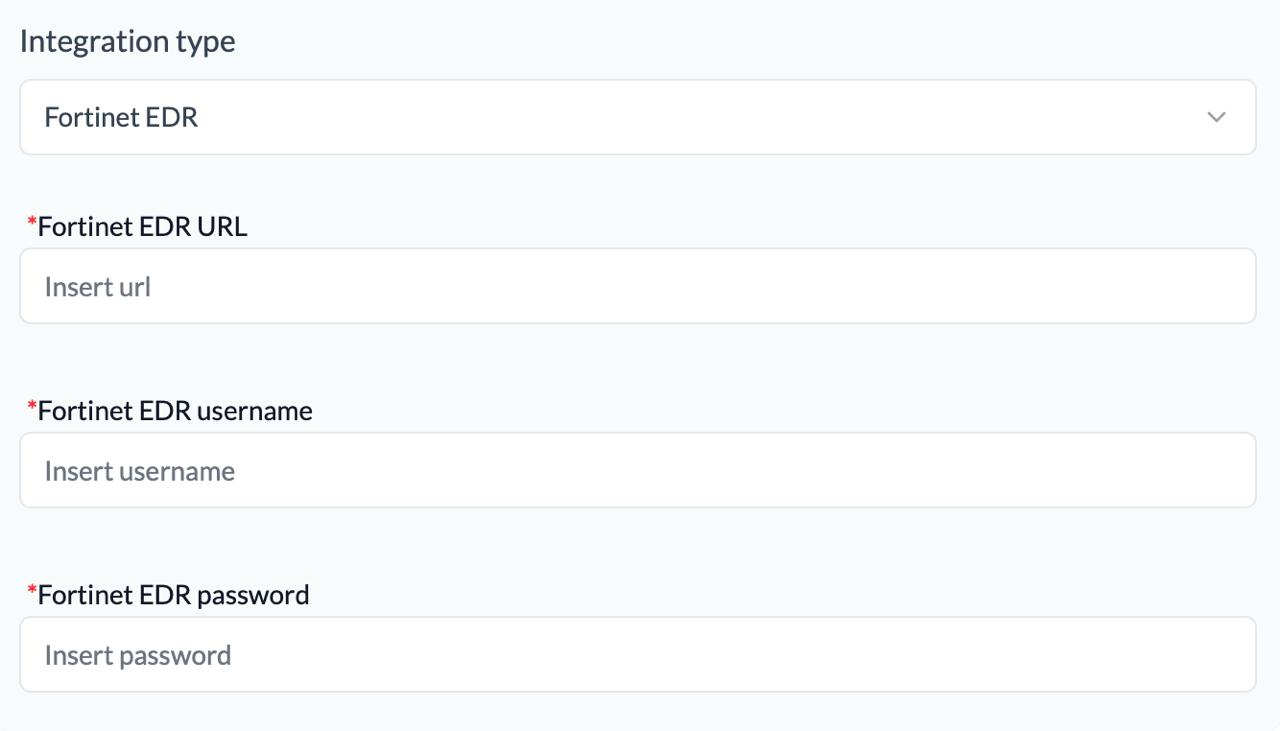
- Select FortiEDR.
- Enter the FortiEDR URL, Username, and Password.
- Click Save and then Test.
Severity Mapping
| Original Severity | RedCarbon Score |
|---|---|
| Low | 10 |
| Medium | 40 |
| High | 70 |
| Critical | 90 |