Trend Micro Vision One
This guide explains how to integrate Trend Micro Vision One (formerly XDR) with RedCarbon.
Overview
The Trend Micro Vision One integration allows RedCarbon to ingest alerts and workbench data from the Vision One platform.
- Vendor Documentation: Trend Micro Automation Center
Configuration
To configure the integration, you need to generate an API Key in the Vision One administration console.
Step 1: Add API Key
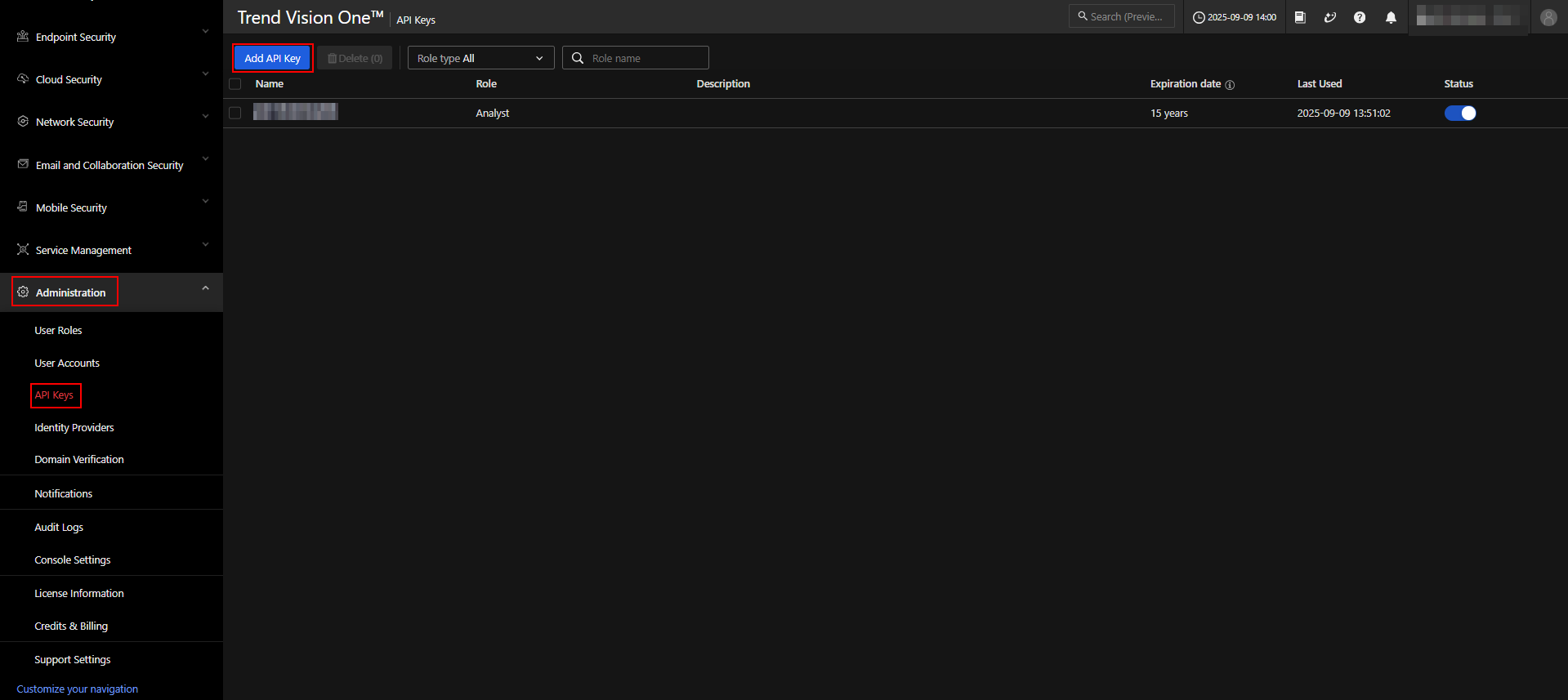
- Log in to the Trend Micro Vision One console.
- Navigate to Administration > API Keys.
- Click Add API Key.
Step 2: Configure Key
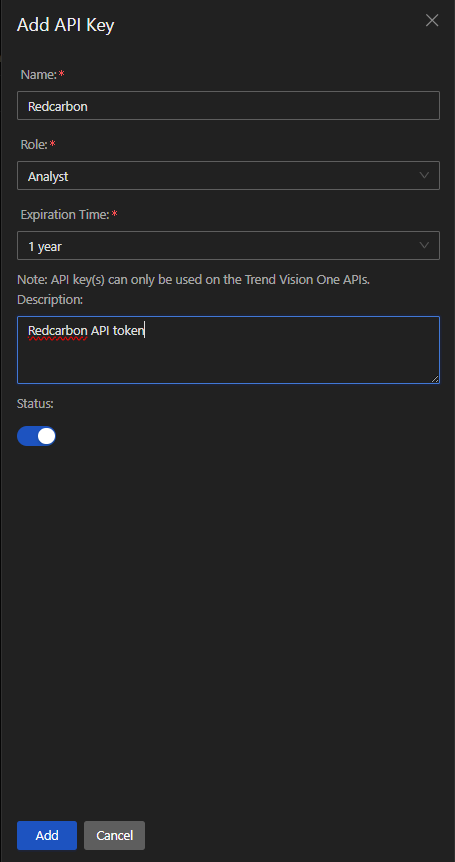
- Enter a Name (e.g.,
RedCarbon). - Assign the Role (e.g.,
Analystor a custom role with Workbench: View permissions). - Set the Expiration Time (e.g., 1 year).
- Ensure the Status is Enabled.
- Click Add.
Step 3: Copy Credentials
- Copy the Authentication Token.
- Note your API URL (usually
https://api.eu.xdr.trendmicro.comfor Europe, or check your region).
Step 4: Configure RedCarbon
- Log in to the RedCarbon Dashboard.
- Navigate to the customer's Integrations page.
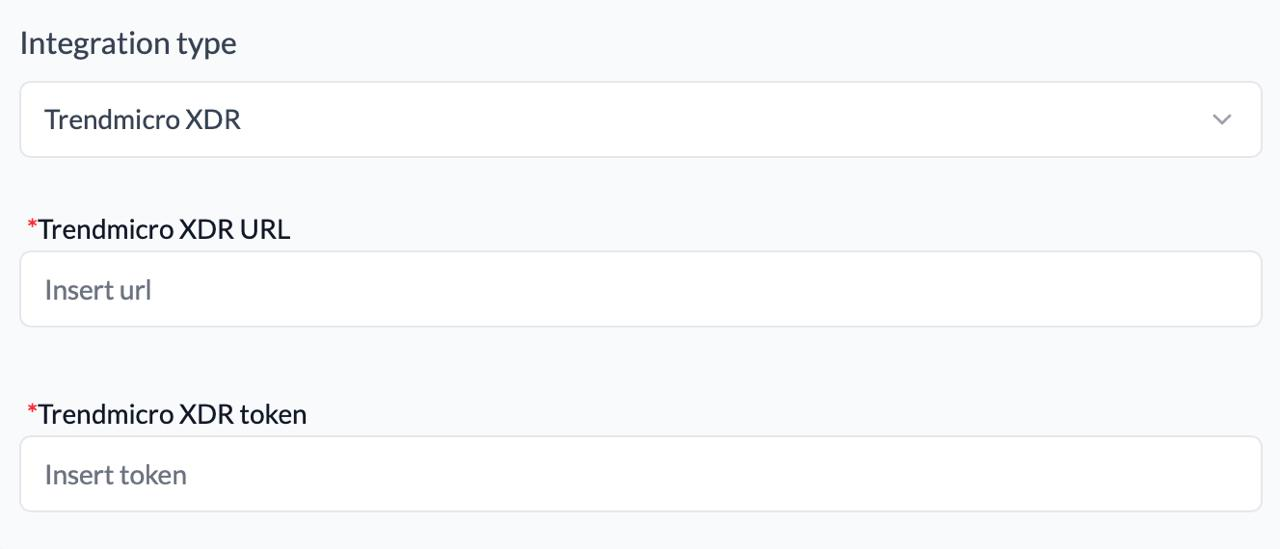
- Select Trend Micro Vision One.
- Paste the Authentication Token and API URL.
- Click Save and then Test.
Severity Mapping
| Original Severity | RedCarbon Score |
|---|---|
| Low | 10 |
| Medium | 40 |
| High | 70 |
| Critical | 90 |