Integrations
This article explains how to configure and manage integrations for customers in RedCarbon.
Overview
Integrations connect RedCarbon to external security vendors and tools, allowing automatic collection of alerts and cases. Each customer can have multiple integrations configured for different security products.
For detailed configuration instructions for each vendor, see the integration guides in the Integrations section.
Creating an Integration
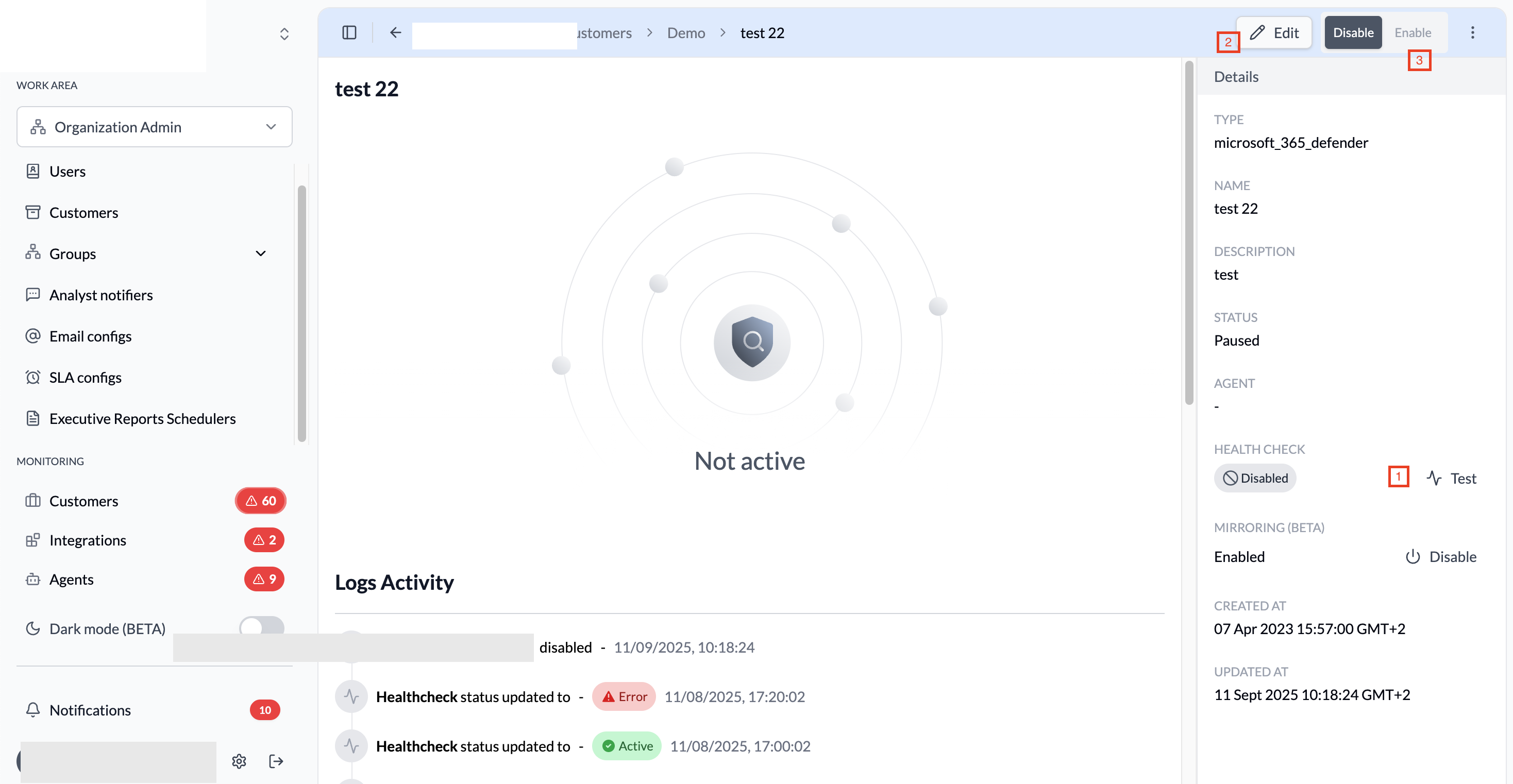
To create a new integration:
- Navigate to
Organization Admin>Customers. - Click on the customer name to open the details.
- Click
Add integration. - Select the integration type from the available vendors.
- Follow the specific integration guide to configure the required fields (host, API key, etc.). See the Integrations section for vendor-specific guides.
- Click
Saveto create the integration. - Click the
Testbutton to verify the connection. - Once the health check passes (shows Active), click
Enablein the top right corner.
Integration Status
Integrations can have the following statuses:
| Status | Description |
|---|---|
| Active | Integration is running and collecting alerts |
| Paused | Integration is temporarily paused |
| Not active | Integration is disabled or has errors |
| Ingesting | Integration is actively collecting data |
How RedCarbon Collects Events
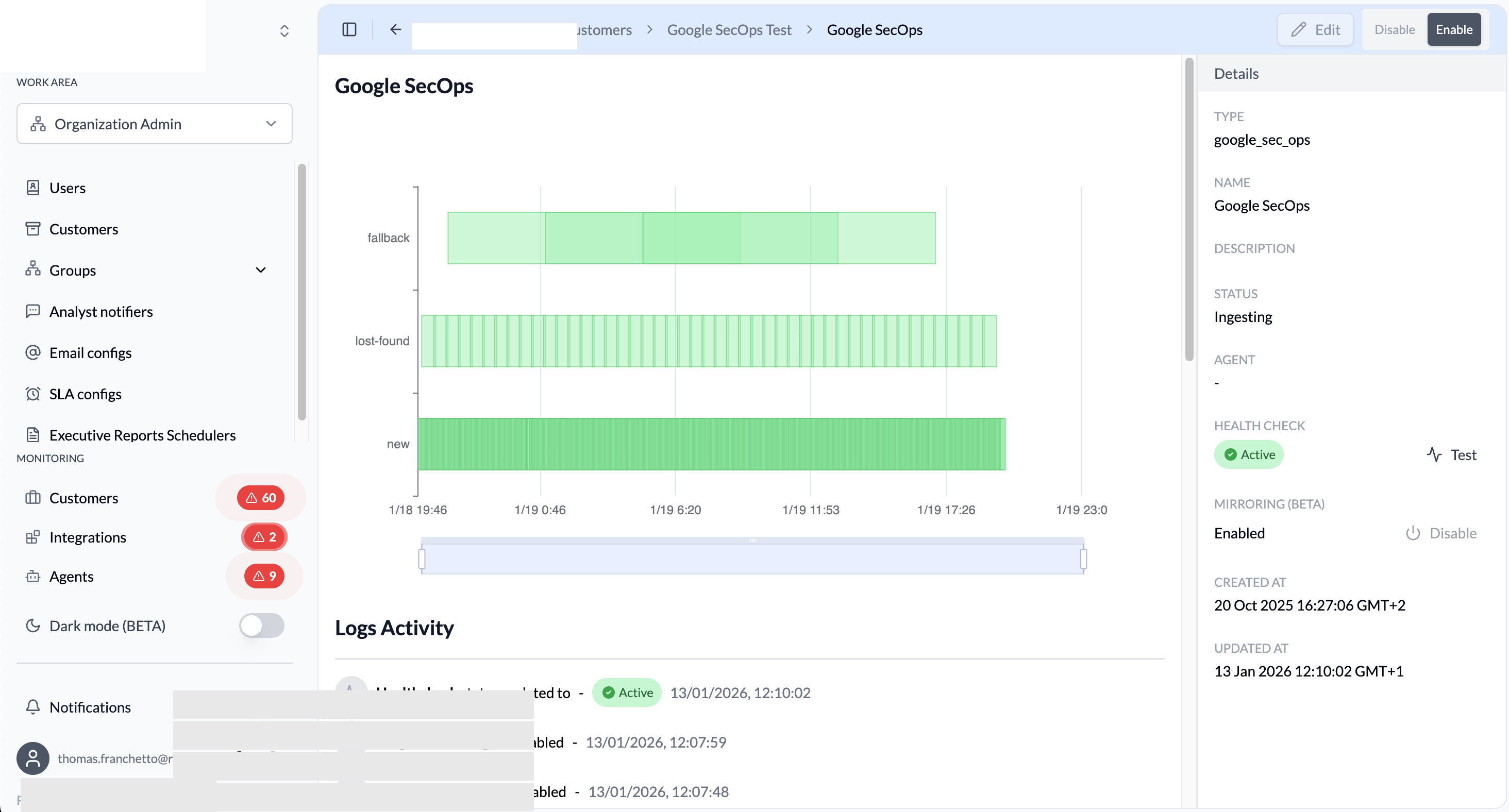
RedCarbon polls each integration on three overlapping schedules to ensure no alerts are missed:
| Query type | Frequency | Window fetched | Purpose |
|---|---|---|---|
| new | Every 3 minutes | Last 5 minutes | Primary collection of incoming alerts |
| lost-found | Every 30 minutes | Last 35 minutes | Catches alerts missed by the primary poll |
| fallback | Every 4 hours | Last 12 hours | Recovery sweep for any remaining gaps |
The overlap between frequency and window (e.g. 3-minute poll fetching 5 minutes of data) is intentional: it guarantees continuity even if a single poll is delayed.
API Query Chart
The chart at the top of the integration details shows the API query activity, broken down by the three query types described above.
Logs Activity
The Logs Activity section shows:
- Actions performed by users (enabled, disabled, configuration changes)
- Health check status updates
- Errors and warnings from the integration
Mirroring (Beta)
The Mirroring feature allows automatic synchronization from RedCarbon to the vendor. For more information, see the Case Mirroring (Beta) page.
Best Practices
- Test Before Enabling: Always run the health check before enabling an integration.
- Monitor Logs: Regularly check the Logs Activity for errors or warnings.
- Review API Activity: Use the API query chart to ensure data is being collected correctly.